Track PRs and review your Log Book
The PR Tracker holds your records. The Log Book holds everything you have trained.
Video, 18 seconds, with narration and captions. Snatch plus clean and jerk. Primary and secondary lifts. Your current best, over time.
The PR Tracker
Section titled “The PR Tracker”The tracker shows your main lifts, your Total (calculated for you), your secondary lifts, and a history for each lift with a progress line. A summary of your strength ratios links to the full ratios screen.
To add a record by hand, use the new PR button, enter the weight, and set the reps. One rep is a 1RM (the heaviest single you can lift).
How records are saved
Section titled “How records are saved”A record on the board is always a single. When you make a heavier set during a session, the app notices and celebrates it.
The Log Book
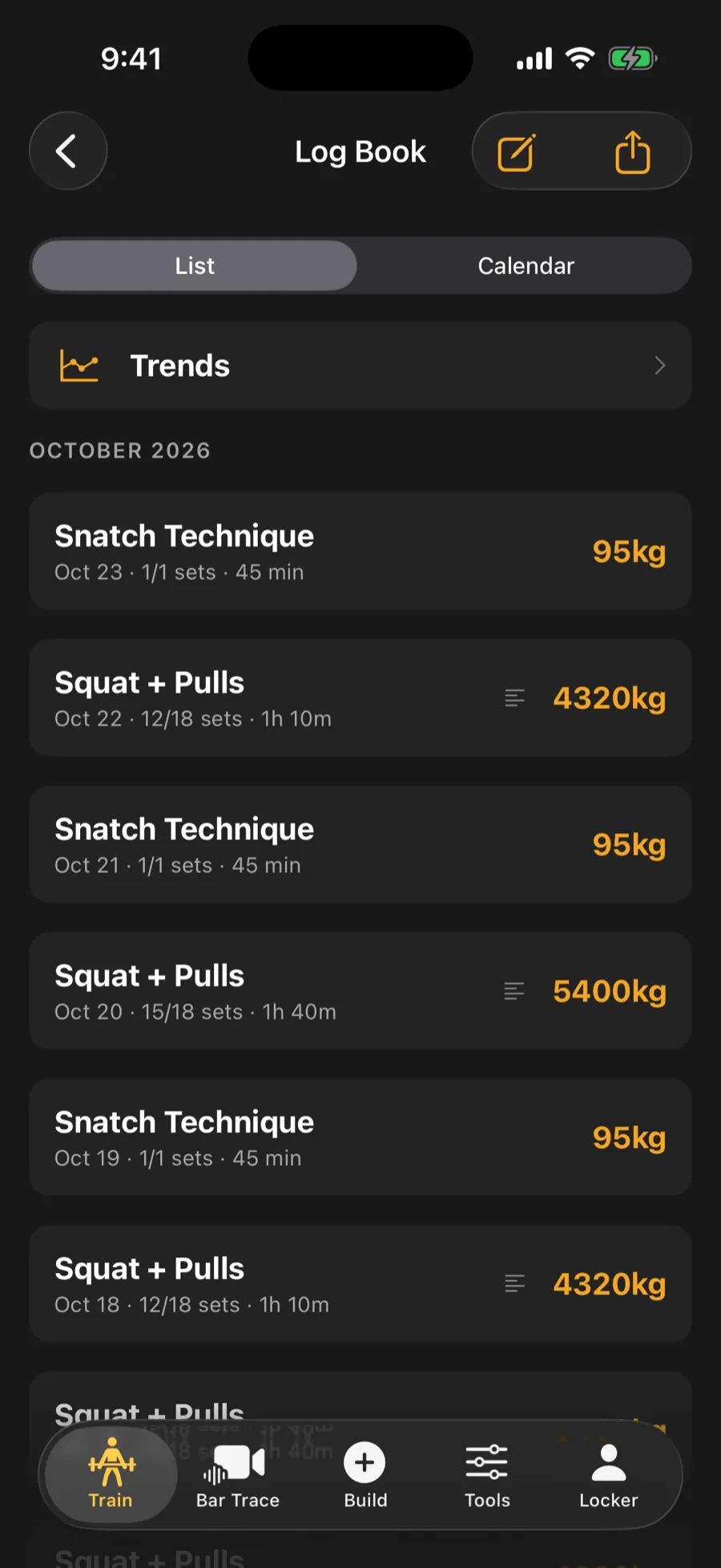
Section titled “The Log Book”The Log Book is a newest-first timeline grouped by month. It holds your sessions and your written reflections.
- Tap a session to see summary numbers and every set grouped by exercise. Filmed sets link to their bar path.
- Switch between List and Calendar to see trained days in a month view.
- Use the notes button to write a reflection. After 28 days the app suggests taking stock.
- To delete a workout, press and hold its row, or use the menu on its detail screen. You are asked to confirm. A PR you set in that session, your Apple Health workout and any bar-path clip are kept.
Import bar-speed data (Pro)
Section titled “Import bar-speed data (Pro)”If you use a separate bar-speed device, you can bring its CSV file in.
- Open the Log Book and tap the import menu.
- Tap Import Velocity Data (CSV).
- Choose the file.
If the app does not recognize the layout, it asks you to match each column to what it holds (such as weight or speed), choose units, and check a preview before importing.