Your profile, progress and settings
The Locker tab is about you: who you are as a lifter, how you are progressing, and how the app behaves.
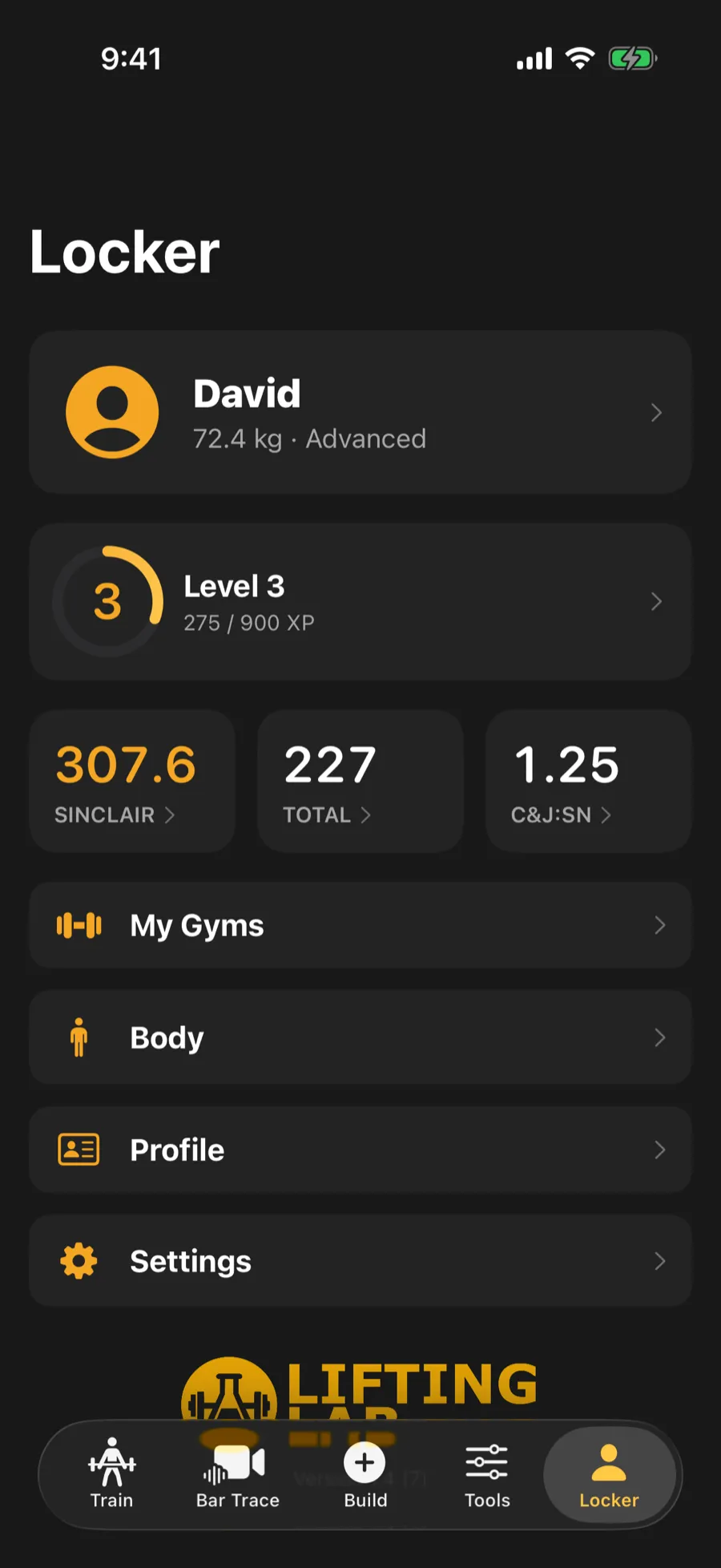
Video, 22 seconds, with narration and captions. 275 / 900 XP to level 4. Records, lifts analyzed, sessions and more. Tracked on the same screen.
Your profile and numbers
Section titled “Your profile and numbers”The top of the Locker shows your photo, age category, bodyweight and experience, plus your level, XP and streak. Three stats sit underneath: Sinclair, your total, and your clean and jerk to snatch ratio. Tap any of them to open the tool that works it out. That includes a stat showing a dash, where the tool will tell you what is missing.
Open your profile to set your name, coach’s name, date of birth, bodyweight, weight class, photo and height.
Other sections in the Locker:
- My Gyms: your home, club and competition gyms, each with its own bar and plates. Workouts and tools use your default gym.
- Body: log an area you are training around, check in with a pain rating, and see how the app adjusts. It changes your training, not your treatment.
Progress, XP and badges
Section titled “Progress, XP and badges”Tap the level strip to see your level, an XP breakdown, your streak and your badges. Each badge shows how close you are, and you can share a progress card as an image.
Settings
Section titled “Settings”Open Settings from the Locker. The main rows are:
- Training: rest timer, bar choice, your warm-up ramp, and how custom workouts pick exercises.
- Reset Your Numbers: coming back from illness or injury? Enter what you can lift now and workouts load from that. Your records stay untouched.
- Apple Health (Health Connect on Android): four switches for adapting rest, suggesting readiness, saving workouts and syncing bodyweight.
- Film Room: the grading level for technique grades. It never changes the referee lights.
- Sounds, and Units for kilograms or pounds.
- Data and Privacy: clip storage, the Privacy Policy and Terms.
Accessibility
Section titled “Accessibility”- Reduce celebrations: skips confetti, haptics and sounds. You still earn XP and badges.
Subscription
Section titled “Subscription”The Subscription section shows your plan and lets you view Pro. Restore Purchases brings back a subscription after reinstalling or moving to a new phone. If you have a subscription, Manage Subscription opens your Apple settings.